
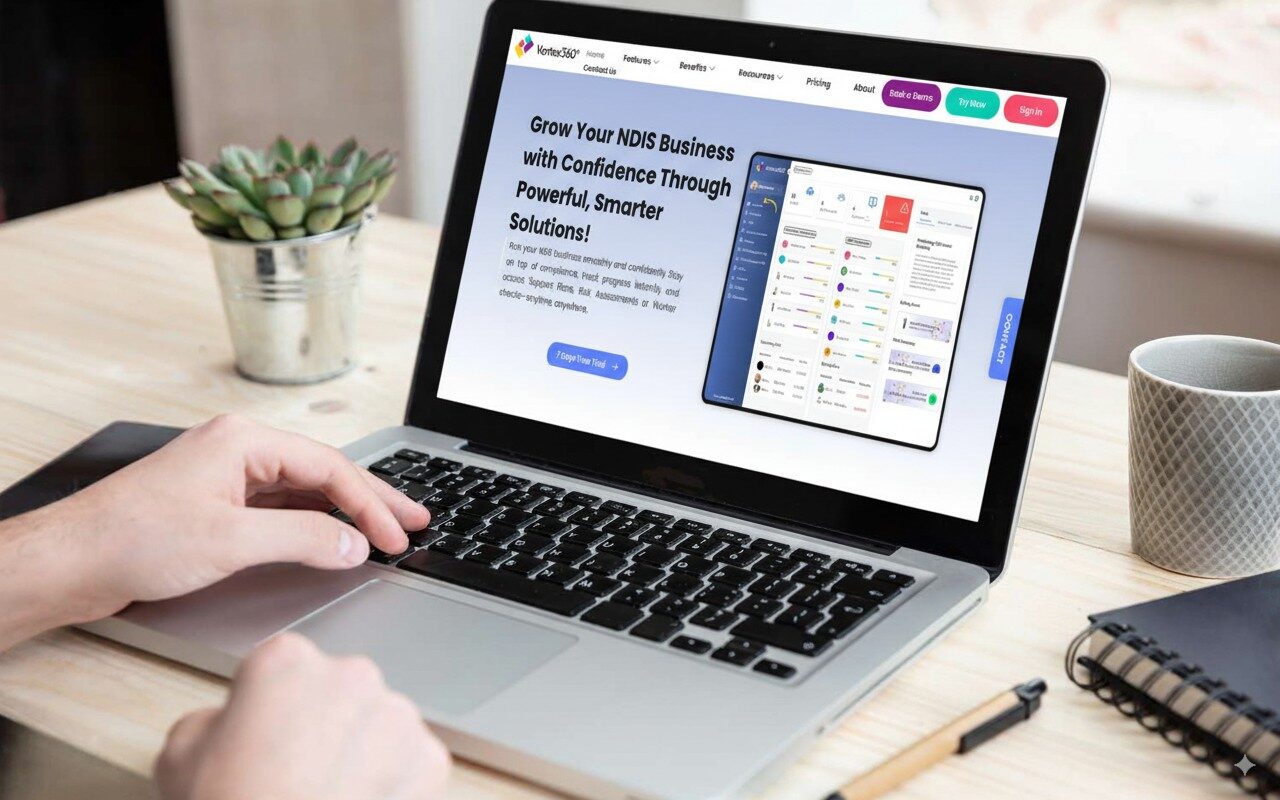
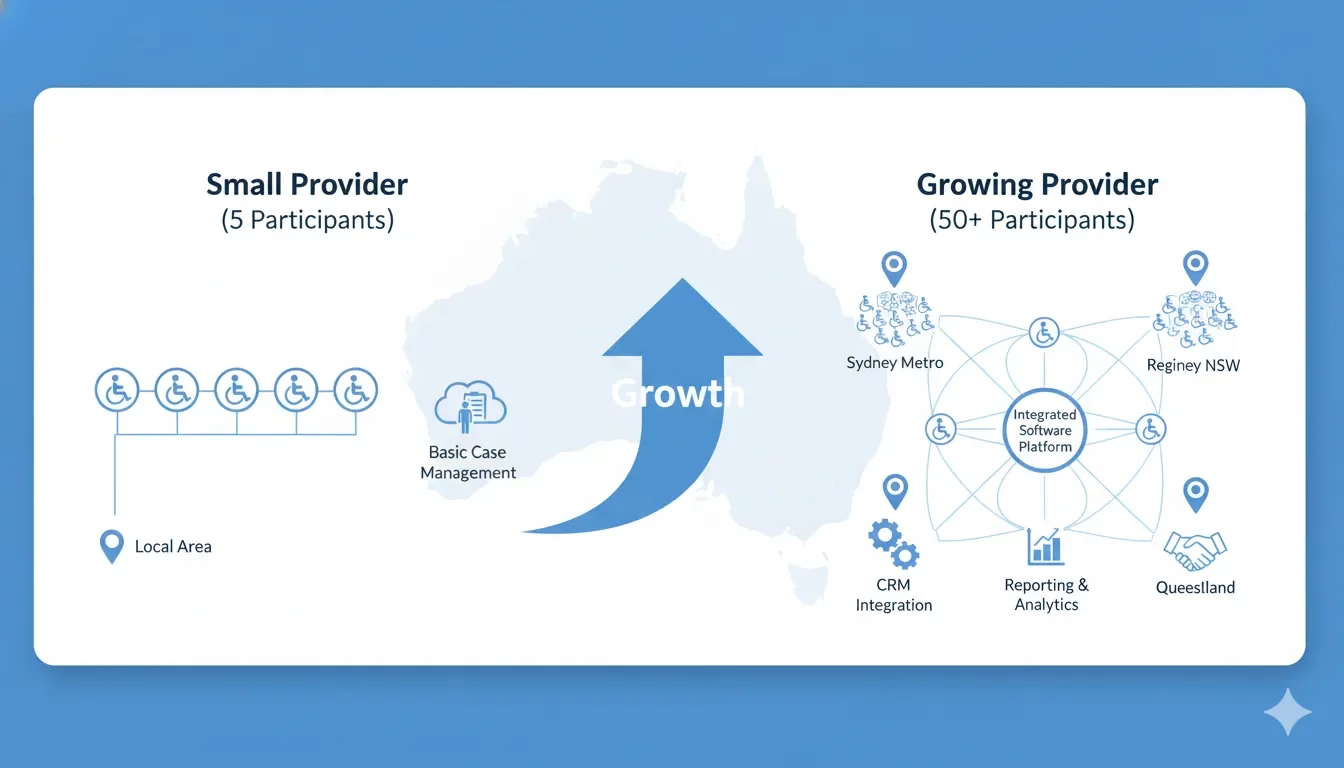
Growing NDIS providers face unique challenges as their operations expand. What works for a five-participant service might not meet the needs of a provider supporting fifty participants across multiple locations. This is where software customisation becomes crucial.
The right NDIS software should adapt to your changing business requirements, not force you into rigid workflows that limit growth.
Understanding Customisation vs Configuration
Many providers use these terms interchangeably, but they represent fundamentally different approaches to software flexibility.
Configuration involves adjusting settings within the existing software framework. You’re working with predefined options, toggles, and preferences. Most NDIS software offers basic configuration options like:
- User permissions and access levels
- Report templates and data fields
- Dashboard layouts and widget preferences
- Notification settings and approval workflows
True customisation goes deeper. It modifies the software’s core functionality to match your specific business processes. This might include:
- Custom workflow engines that match your service delivery model
- Specialised reporting frameworks for unique compliance requirements
- Integration with industry-specific tools your team already uses
- White-labelling options for agencies managing multiple providers
Here’s the critical difference: configuration works within the software’s existing structure, whilst customisation changes that structure to fit your needs.
Common Customisation Needs for Growing Providers
As NDIS providers scale, certain requirements emerge consistently. Understanding these patterns helps you evaluate whether a software solution can grow with your business.
Workflow Adaptations
Small providers often follow simple workflows. A participant requests support, staff are assigned, services are delivered, and invoices are generated. Growth complicates this process.
Multi-location providers need region-specific workflows. Some areas might require additional approval steps for certain services. Others might have different documentation requirements based on local partnership agreements.
Vertex360 addresses this through its regional management features. You can allocate managers to specific regions whilst maintaining centralised oversight. The system adapts its workflows based on which region staff are operating in, without creating administrative overhead.
Reporting Requirements
Standard reports work for most providers initially. As you grow, stakeholders demand more sophisticated insights.
Funding bodies might request custom compliance reports that don’t match standard templates. Your finance team needs cost analysis across different service types and regions. Clinical staff require participant progress tracking in formats that match their professional standards.
The key is finding software that allows custom report generation without requiring technical expertise from your team.
Integration Capabilities
Growing providers rarely operate in isolation. You’re likely using:
- Accounting software like Xero or MYOB
- Communication platforms for team coordination
- Specialised clinical tools for specific participant groups
- Quality management systems for compliance tracking
Your NDIS software needs to connect with these existing tools. Manual data transfer between systems becomes impossible as transaction volumes increase.
Vertex360 offers Xero integration that automatically synchronises financial data, eliminating double entry and reducing error rates. This type of seamless connection prevents administrative bottlenecks that often limit provider growth.
Scalability Planning for Software Customisation
Smart providers think beyond their current needs when evaluating customisation options. Your software choice today shapes your growth trajectory for the next five years.
Participant Volume Planning
Consider your growth projections realistically. If you’re supporting ten participants today and plan to reach fifty within two years, your software needs should reflect that future state, not just current requirements.
Some providers make the mistake of choosing solutions that fit their immediate needs perfectly but create barriers to expansion. Per-user pricing models become prohibitively expensive. Limited customisation options force workflow compromises that reduce efficiency.
Growing providers must also consider evolving NDIS compliance requirements which continue to develop as the scheme matures.
Vertex360’s participant-based pricing structure supports this growth model. Whether you need three support workers or thirty for the same participant group, your software costs remain predictable.
Geographic Expansion Considerations
Multi-location operations introduce complexity that single-site providers don’t face. Effective business growth planning becomes essential when expanding across different regions. Different regions might have:
- Varying compliance requirements based on state regulations
- Distinct partnership agreements with local organisations
- Different service delivery models based on participant demographics
- Unique reporting requirements for regional funding bodies
Your software should accommodate these variations without requiring separate installations or duplicated administration.
Service Diversification
Many providers start with core support services and expand into specialist areas like supported independent living, plan management, or support coordination. Each service type brings distinct workflow requirements.
Plan management requires sophisticated financial tracking and reporting capabilities. Support coordination involves complex case management features. Supported independent living needs detailed property and room management functions.
Rather than forcing these different service types into a one-size-fits-all approach, flexible software adapts its interface and functionality based on the services you’re delivering.
Cost-Benefit Analysis of Customisation
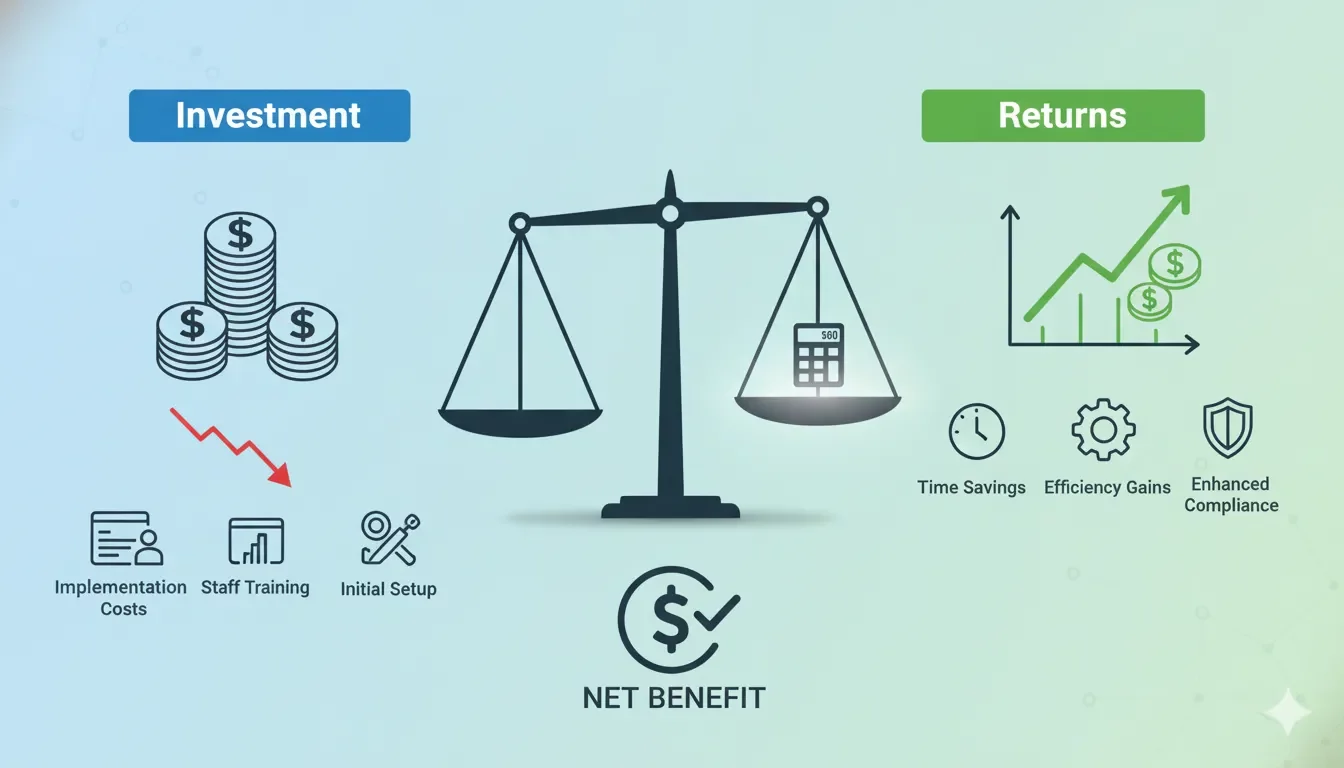
Customisation involves trade-offs between flexibility and cost. Understanding these economics helps you make informed decisions about where to invest in customisation versus where to accept standard functionality.
Implementation Costs
Basic configuration typically requires minimal investment beyond staff training time. Most providers can adjust settings and preferences without external support.
Deeper customisation often requires professional services. This might include:
- Consultation to map your specific requirements
- Development work to create custom features or integrations
- Testing and quality assurance to ensure reliability
- Staff training on new functionality
- Ongoing support for custom features
The key question isn’t whether these costs are justified, but whether the efficiency gains and competitive advantages outweigh the investment.
Operational Efficiency Gains
Well-implemented customisation should deliver measurable efficiency improvements. These might include:
- Reduced administrative time through automated workflows
- Fewer errors from integrated systems and automatic data validation
- Faster decision-making through custom reporting and dashboards
- Improved compliance through built-in checks and documentation
Calculate these benefits conservatively. A customisation that saves two hours of administrative work per week delivers over 100 hours annually. At average administrative wage rates, this represents significant value.
Competitive Advantages
Some customisation investments provide strategic advantages that extend beyond operational efficiency.
Custom reporting capabilities might help you win contracts by demonstrating superior monitoring and accountability. Integrated systems might enable you to offer services that competitors can’t match due to their administrative limitations.
These strategic benefits are harder to quantify but often provide the strongest justification for customisation investments.
Vertex360’s Flexibility for Growing Providers
Vertex360 recognises that growing providers need software that adapts to their evolving requirements. The platform offers customisation options across both Total Suite and Platinum plans, with different levels of flexibility to match your budget and requirements.
Built-In Configuration Options
The Total Suite plan includes extensive configuration capabilities that address most growing provider needs:
Roles and Permissions Management Create custom user roles with granular access controls. Regional managers can access their areas without seeing other regions. Clinical staff can access participant records whilst finance staff focus on billing and compliance data.
Dashboard Customisation Tailor the provider dashboard to highlight the metrics that matter most to your operations. Track participant engagement, staff utilisation, compliance deadlines, and financial performance in a single view.
Workflow Configuration Adjust approval processes, notification triggers, and documentation requirements to match your service delivery model. The system adapts to your processes rather than forcing you to change established workflows.
Advanced Integration Capabilities
Vertex360’s integration framework connects with the tools your team already uses:
Xero Accounting Integration Automatic synchronisation between Vertex360 and your Xero account eliminates manual data entry and ensures financial accuracy. This integration helps maintain compliance with Australian accounting standards whilst reducing administrative overhead. Invoicing, expense tracking, and financial reporting work seamlessly across both platforms.
Communication Platform Connectivity Connect with Microsoft Teams, Slack, or other communication platforms to ensure important notifications reach the right people through their preferred channels.
Scalable Reporting Framework
Both Total Suite and Platinum plans include flexible reporting that grows with your needs:
Standard Reports Pre-built reports cover common requirements like NDIS claiming, staff performance tracking, and compliance monitoring.
Custom Report Builder Create specialised reports that match your specific requirements. Filter data by region, service type, participant demographics, or any combination of factors relevant to your operations.
Automated Distribution Schedule reports to generate and distribute automatically to relevant stakeholders. Regional managers receive their area reports without central office intervention.
Platinum Plan Enhancements
The Platinum plan includes additional customisation options for providers with complex requirements:
Internal Audit Reports Comprehensive compliance auditing that adapts to your specific service mix and regulatory requirements. The system tracks compliance across all areas and generates audit-ready documentation.
Priority Support and Consultation Direct access to Vertex360’s technical team for guidance on customisation options and implementation strategies.
Enhanced Data Migration Complimentary data migration services ensure your existing information transfers accurately to the new system without disrupting operations.
Implementation Framework for Customisation
Successfully implementing customisation requires a structured approach that minimises disruption whilst maximising benefit.
Assessment Phase
Start by documenting your current processes and identifying specific pain points. Don’t assume that replicating your existing workflows is optimal. Growth often provides an opportunity to improve processes that developed organically.
Key questions to address:
- Which manual processes consume the most staff time?
- Where do errors occur most frequently in your current workflows?
- What information do you need but can’t easily access with current systems?
- Which compliance requirements create administrative burden?
- How do regional or service-type variations complicate your operations?
Priority Setting
Not all customisation opportunities provide equal value. Focus your initial efforts on changes that deliver:
- Quick wins with immediate efficiency improvements
- Foundation capabilities that support future growth
- Risk reduction through improved compliance or error prevention
- Competitive advantages that support business development
Phased Implementation
Implement customisation in manageable phases rather than attempting comprehensive changes simultaneously. A typical approach might include:
Phase 1: Core Configuration Set up user roles, basic workflows, and essential integrations. Ensure staff can perform daily tasks efficiently before adding complexity.
Phase 2: Reporting and Analytics Implement custom reporting and dashboard configurations that support decision-making and compliance monitoring.
Phase 3: Advanced Customisation Add specialised features, complex integrations, and workflow optimisations based on experience from earlier phases.
Change Management
Technology customisation is ultimately about changing how your team works. Success depends on staff adoption and engagement with new processes.
Involve key staff in the planning process. The people who use the system daily often have insights about efficiency improvements that managers miss. Their input improves the final solution and increases buy-in for changes.
Provide comprehensive training that goes beyond basic system operation. Help staff understand how customisation supports better participant outcomes and more sustainable business growth.
Making the Right Choice for Your Growth
Choosing NDIS software with appropriate customisation options is an investment in your provider’s future capability. The right choice supports sustainable growth whilst maintaining quality service delivery.
Consider these factors when evaluating customisation options:
Start with your growth vision. Where do you want your organisation to be in three to five years? Choose software that supports that future state, not just current requirements.
Balance flexibility with simplicity. Excessive customisation can create unnecessary complexity. Focus on changes that deliver clear benefits rather than customising for its own sake.
Evaluate total cost of ownership. Include implementation, training, and ongoing support costs in your calculations. Sometimes paying more upfront for better out-of-the-box functionality costs less than extensive customisation of cheaper alternatives.
Test before committing. Use trial periods to validate that customisation options work as promised. Many providers discover limitations only after implementation begins.
Vertex360 offers a comprehensive trial that includes access to configuration options and consultation about customisation possibilities. This allows you to evaluate the platform’s flexibility with your actual data and workflows before making a commitment.
The NDIS sector continues evolving, with new compliance requirements and service delivery models emerging regularly. Software that adapts to these changes ensures your provider remains competitive and compliant regardless of how the landscape shifts.
Your software choice shapes your growth trajectory. Choose a platform that grows with you rather than one that limits your potential.
Ready to explore customisation options for your growing NDIS provider?
Book a personalised demo to see how Vertex360’s flexibility can support your expansion plans. Our team will work with you to identify customisation opportunities that deliver real value for your operations.
Book Your Demo Today or call us to discuss your specific requirements.